TryHackMe - PS Eclipse

PS Eclipse simulates a realistic endpoint compromise where an attacker delivers a malicious binary, establishes persistence, and completes their goal of encrypting a device’s files with ransomware.
Questions
Question 1: A suspicious binary was downloaded to the endpoint. What was the name of the binary?
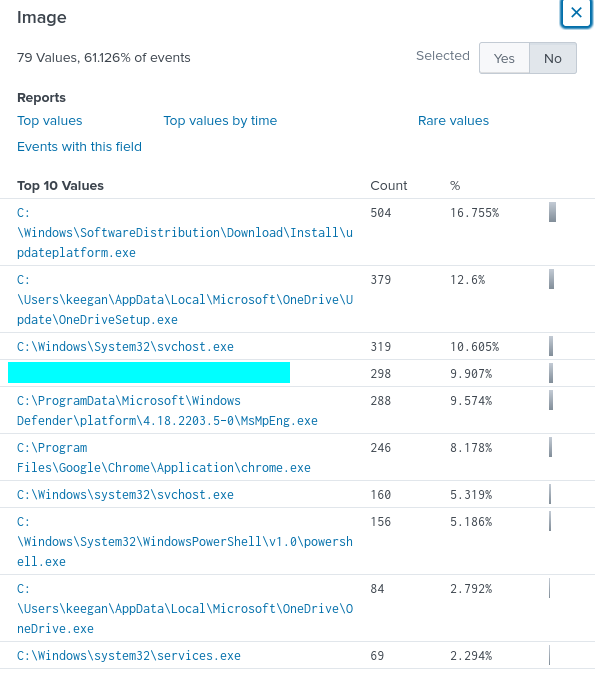
To begin the investigation, I established a baseline of normal endpoint activity using Splunk, reviewing both process creation and file creation logs. Even though the compromise occurred on May 16th, examining logs from May 13th onward helped filter out routine activity such as software updates and EDR-related events. This filtering highlighted unusual events in the %TEMP% directory-a common staging location for malicious binaries. Correlating these file events with process creation logs led to the identification of a new and suspicious executable.
1
index=main "C:\Windows\Temp\"
Question 2: What is the address the binary was downloaded from?
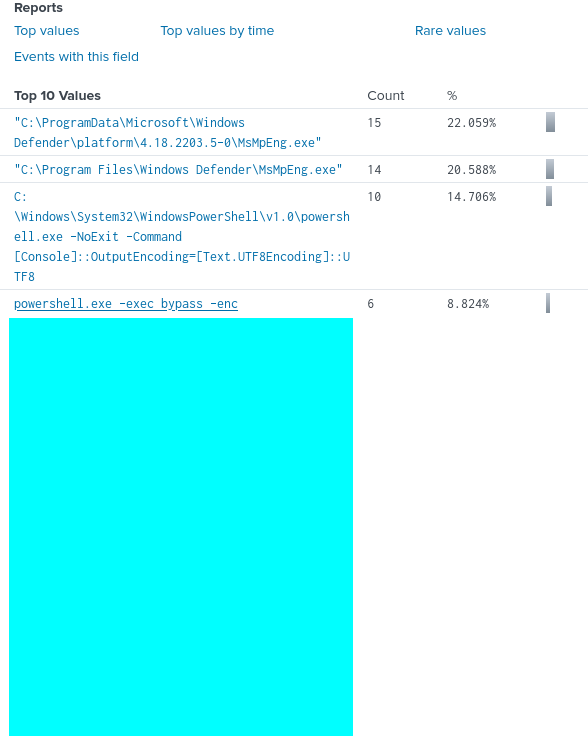
I added DNS query-related fields to identify the web address used here. However, examining encoded PowerShell commands revealed that the binary was retrieved from an external endpoint. Base64 encoding was used to obfuscate the command, a typical technique to bypass detection mechanisms. Decoding the command revealed the download URL.
1
index=main "C:\Windows\Temp\*.exe" QueryName
Question 3: What Windows executable was used to download the suspicious binary?
Parent-child process relationships were key. Using Splunk queries to examine the ParentImage field, it was clear that PowerShell was used to download the binary - a standard initial access technique in Windows environments.
Question 4: What command was executed to configure the suspicious binary to run with elevated privileges?
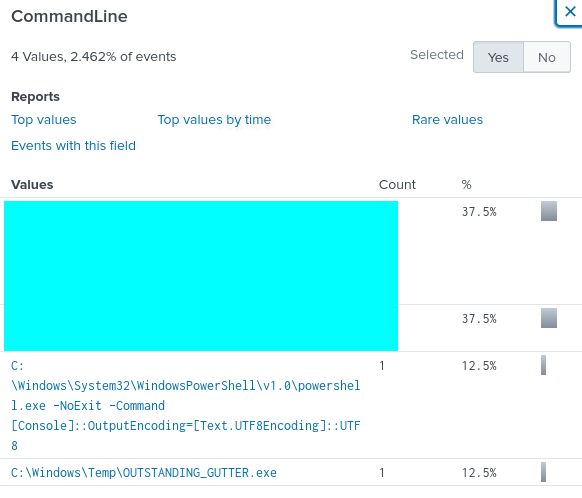
Scheduled task creation events in Splunk showed how the binary was configured to run automatically under a system-level account. These tasks were triggered by specific Windows events and ensured the binary would survive reboots, demonstrating classic persistence tactics.
Question 5: What permissions will the suspicious binary run as? What was the command to run the binary with elevated privileges?
The scheduled task configured the binary to run as SYSTEM, providing full administrative access. Logs confirmed the task creation command and the associated user context, highlighting the importance of monitoring privilege escalation attempts.
Question 6: The suspicious binary connected to a remote server. What address did it connect to?
Splunk queries for process network activity showed the binary attempting to contact an external server. Even without full packet capture, process logs and command-line information revealed a simulated C2-style connection, mimicking real-world exfiltration methods.

Question 7: A PowerShell script was downloaded to the same location as the suspicious binary. What was the name of the file?
Splunk queries targeting .ps1 files in the %TEMP% directory revealed a secondary script associated with the binary.
1
index=main "C:\Windows\Temp\*" TargetFilename=*.ps1
Examining creation times, target filenames, and process context allowed me to identify the script’s role in automation and potential data exfiltration, showing how attackers often chain binaries and scripts.

Question 8: The malicious script was flagged as malicious. What do you think was the actual name of the malicious script?
You can check the hash associated with this Powershell script in VirusTotal. Definitely not a pretty sight seeing so much red!

Question 9: A ransomware note was saved to disk, which can serve as an IOC. What is the full path to which the ransom note was saved?
Using Splunk to search for recently created or modified files in Downloads revealed an artifact resembling a ransomware note. This activity, even in a lab, highlights how attackers signal compromise and manipulate user data.


Question 10: The script saved an image file to disk to replace the user’s desktop wallpaper, which can also serve as an IOC. What is the full path of the image?
Similarly, searching for image files in user directories revealed an artifact that had replaced the desktop wallpaper.
1
2
index=main BlackSun
index=main "*Pictures*"
This serves as an IOC and illustrates attacker intent to leave visible marks of compromise.

Conclusion
Through this investigation, we observed a realistic attack lifecycle: initial compromise through a malicious binary, privilege escalation via scheduled tasks, secondary script execution, and the eventual creation of artifacts signaling ransomware activity. Even within a lab environment, these stages mirror real-world adversarial tactics, demonstrating the importance of log correlation, process analysis, and file monitoring in DFIR workflows.