Ansible Linux Sandbox - Part 4
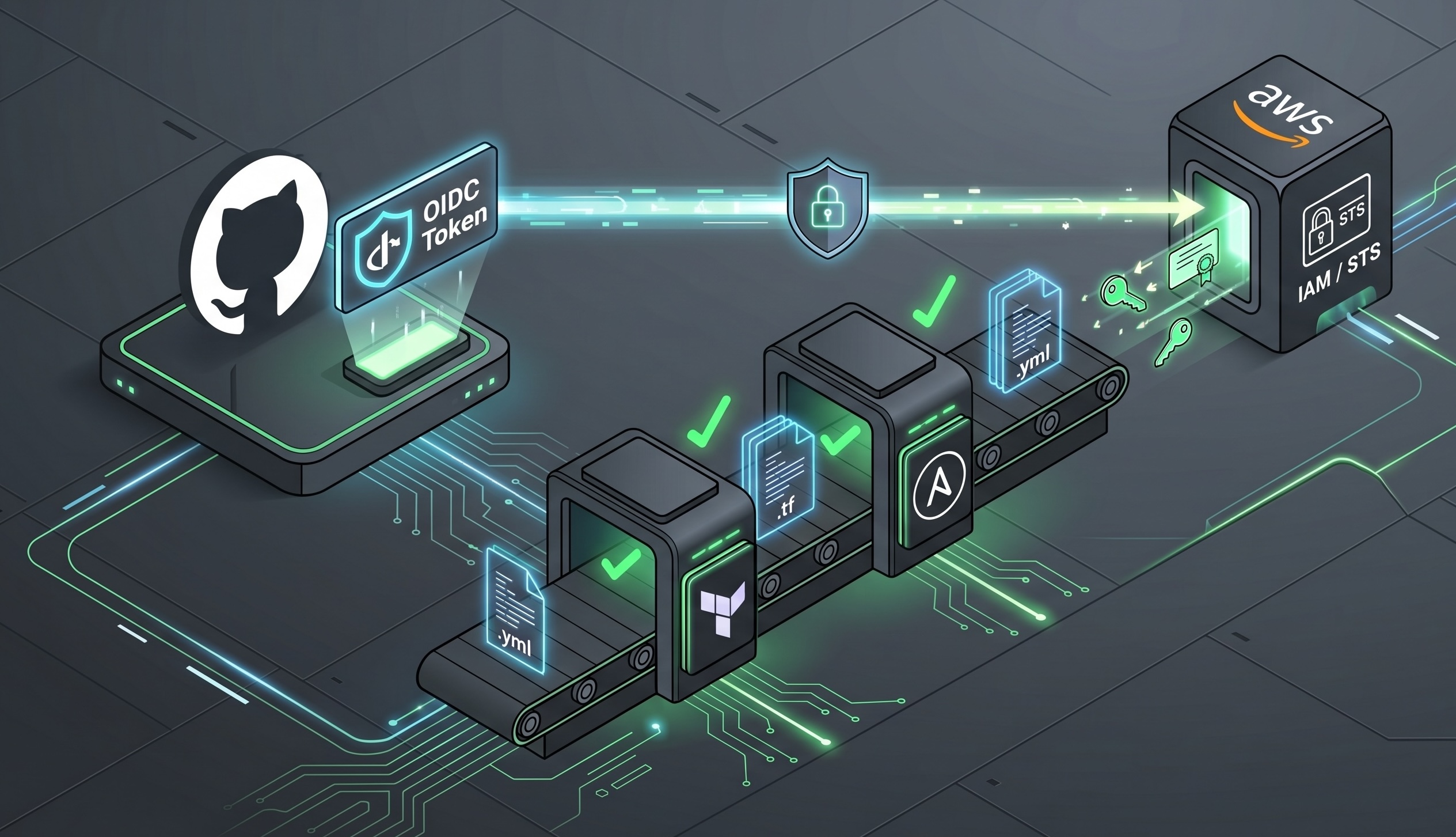
The code was working well enough that I started thinking about what happened when it wasn’t: a PR with broken Terraform formatting or an unqualified module name would merge without complaint, and I would find out whenever I happened to run things locally.
I had watched platform engineers run CI pipelines at clients I support without really understanding what building one involved. Coming into this with no prior CI/CD experience, I worked through it with Claude as a pair and ended up with two GitHub Actions workflows, neither of which touches live infrastructure. One validates and format-checks the Terraform files, the other lints the Ansible files, and both trigger on pull requests targeting main scoped to the paths they actually care about.
OIDC Authentication
The Terraform workflow needs to assume an IAM role, and the obvious approach of storing an access key and secret in GitHub secrets is also the wrong one: long-lived credentials in a secret store are a category of risk that has a cleaner answer here.
GitHub Actions has a built-in identity provider that AWS IAM can be configured to trust, so when the workflow runs it requests a short-lived token from GitHub’s OIDC endpoint, presents it to AWS STS, and assumes a role without any static credentials in the picture.
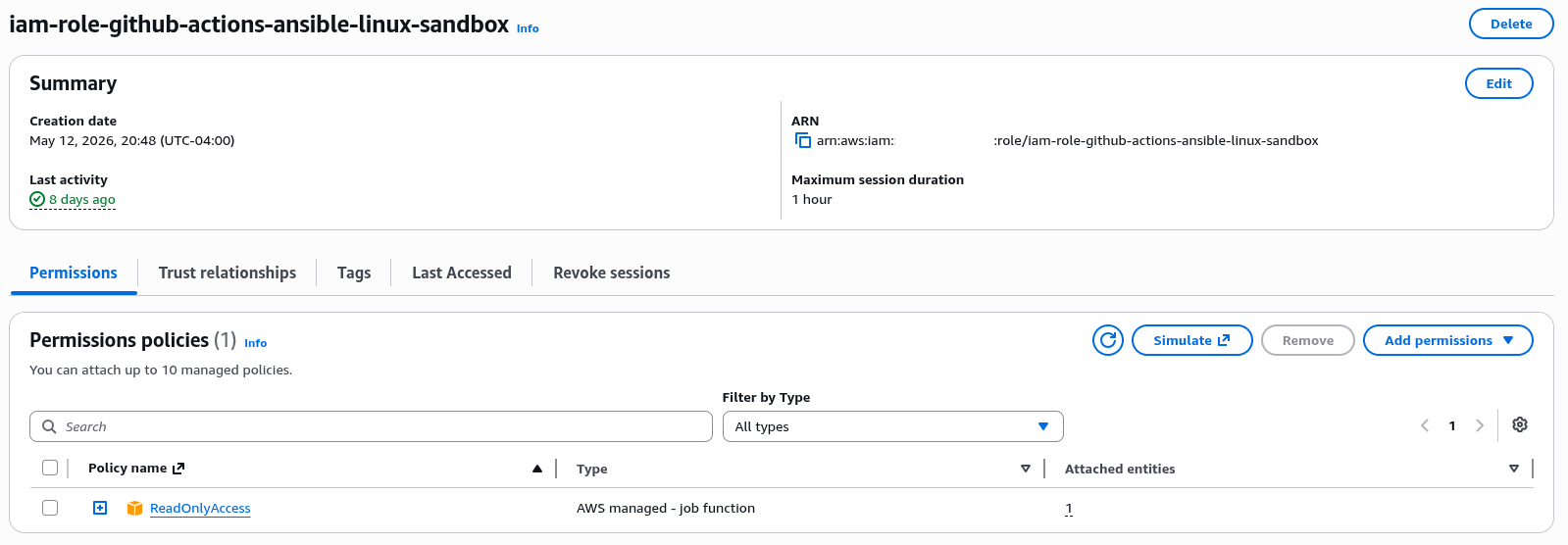
The AWS side requires registering the GitHub Actions OIDC provider in IAM and creating a role with a trust policy scoped to the specific repository. I had a working draft of the structure and worked through it with Claude to understand what each condition was actually enforcing.
1
2
3
4
5
6
7
8
9
10
11
12
13
14
15
16
17
18
19
20
21
22
23
24
25
26
27
28
29
30
resource "aws_iam_openid_connect_provider" "github_actions" {
  url             = "https://token.actions.githubusercontent.com"
  client_id_list  = ["sts.amazonaws.com"]
  thumbprint_list = ["6938fd4d98bab03faadb97b34396831e3780aea1"]
}

resource "aws_iam_role" "github_actions" {
  name = "iam-role-github-actions-ansible-linux-sandbox"

  assume_role_policy = jsonencode({
    Version = "2012-10-17"
    Statement = [
      {
        Effect = "Allow"
        Principal = {
          Federated = aws_iam_openid_connect_provider.github_actions.arn
        }
        Action = "sts:AssumeRoleWithWebIdentity"
        Condition = {
          StringEquals = {
            "token.actions.githubusercontent.com:aud" = "sts.amazonaws.com"
          }
          StringLike = {
            "token.actions.githubusercontent.com:sub" = "repo:orionilloc/ansible-linux-sandbox:*"
          }
        }
      }
    ]
  })
}
The sub claim in a GitHub Actions OIDC token encodes the repository and context, something like repo:orionilloc/ansible-linux-sandbox:ref:refs/heads/main for a push to main or repo:orionilloc/ansible-linux-sandbox:pull_request for a PR. Using StringLike with a wildcard allows both, and the aud condition pins the token to STS specifically, so only workflows from this repository can assume the role and only when GitHub’s OIDC endpoint issued the token.
The role only has read permissions and doesn’t touch running infrastructure. Because the workflow skips the S3 backend entirely, it doesn’t need state access either.
The Terraform Workflow
terraform-ci.yml triggers on pull requests targeting main, scoped to changes under v3-dynamic-inventory/**.tf, so a PR that only touches playbooks won’t run it.
1
2
3
4
5
6
7
8
9
10
11
12
13
14
15
16
17
18
19
20
21
22
23
24
25
26
27
28
29
30
31
32
33
34
35
36
37
38
39
40
41
42
43
44
# .github/workflows/terraform-ci.yml

name: Terraform CI

on:
  pull_request:
    branches:
      - main
    paths:
      - 'v3-dynamic-inventory/**.tf'

permissions:
  id-token: write
  contents: read

jobs:
  terraform:
    name: Validate & Format Check
    runs-on: ubuntu-latest

    steps:
      - name: Checkout code
        uses: actions/checkout@v4

      - name: Configure AWS credentials via OIDC
        uses: aws-actions/configure-aws-credentials@v4
        with:
          role-to-assume: $
          aws-region: us-east-1

      - name: Setup Terraform
        uses: hashicorp/setup-terraform@v3

      - name: Terraform Init
        working-directory: v3-dynamic-inventory
        run: terraform init -backend=false

      - name: Terraform Format Check
        working-directory: v3-dynamic-inventory
        run: terraform fmt --check

      - name: Terraform Validate
        working-directory: v3-dynamic-inventory
        run: terraform validate
The permissions block is one of those things that isn’t prominently documented: without id-token: write, the workflow can’t request an OIDC token from GitHub at all, and the credential step fails with an error that doesn’t make the missing permission obvious.
terraform init -backend=false is what keeps the workflow self-contained. Without that flag, init tries to configure the S3 backend and needs state bucket access to proceed. With it, Terraform initializes locally, downloads provider schemas from the registry, and skips remote state entirely, which is all fmt --check and validate actually need.
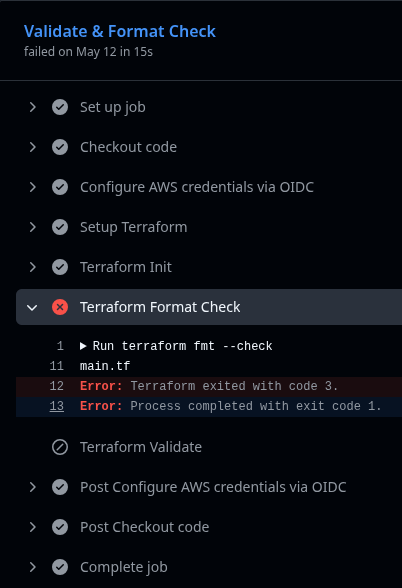
The first failure out of fmt --check was spacing inside an IAM policy block:
1
2
3
4
╷
│ Error: Files in this directory are not formatted correctly.
│ Run "terraform fmt" to fix them.
╵
Running terraform fmt locally and diffing the result showed inconsistent indentation inside a jsonencode block. The formatter has specific opinions about alignment in those blocks that are easy to get wrong when writing by hand, so running fmt, committing the result, and pushing was all it took to clear it.
The Ansible Workflow
ansible-ci.yml triggers on the same conditions, scoped to playbooks/** and roles/**.
1
2
3
4
5
6
7
8
9
10
11
12
13
14
15
16
17
18
19
20
21
22
23
24
25
26
27
28
29
30
31
32
33
34
35
36
37
38
# .github/workflows/ansible-ci.yml

name: Ansible CI

on:
  pull_request:
    branches:
      - main
    paths:
      - 'playbooks/**'
      - 'roles/**'

permissions:
  id-token: write
  contents: read

jobs:
  ansible-lint:
    name: Ansible Lint
    runs-on: ubuntu-latest

    steps:
      - name: Checkout code
        uses: actions/checkout@v4

      - name: Setup Python
        uses: actions/setup-python@v5
        with:
          python-version: '3.12'

      - name: Install ansible-lint and collections
        run: |
          pip install ansible-lint
          ansible-galaxy collection install community.general
          ansible-galaxy collection install ansible.posix

      - name: Run ansible-lint
        run: ansible-lint playbooks/ roles/
The install step is where most of the first-run failure came from. The roles and playbooks reference modules from community.general and ansible.posix, and if those collections aren’t installed in the runner environment, the linter flags them as fatal violations rather than warnings. The runner has no awareness of what’s installed locally, so the collections have to be declared and installed explicitly as part of the job, which nothing in the ansible-lint documentation makes particularly obvious upfront.
The first run produced this:
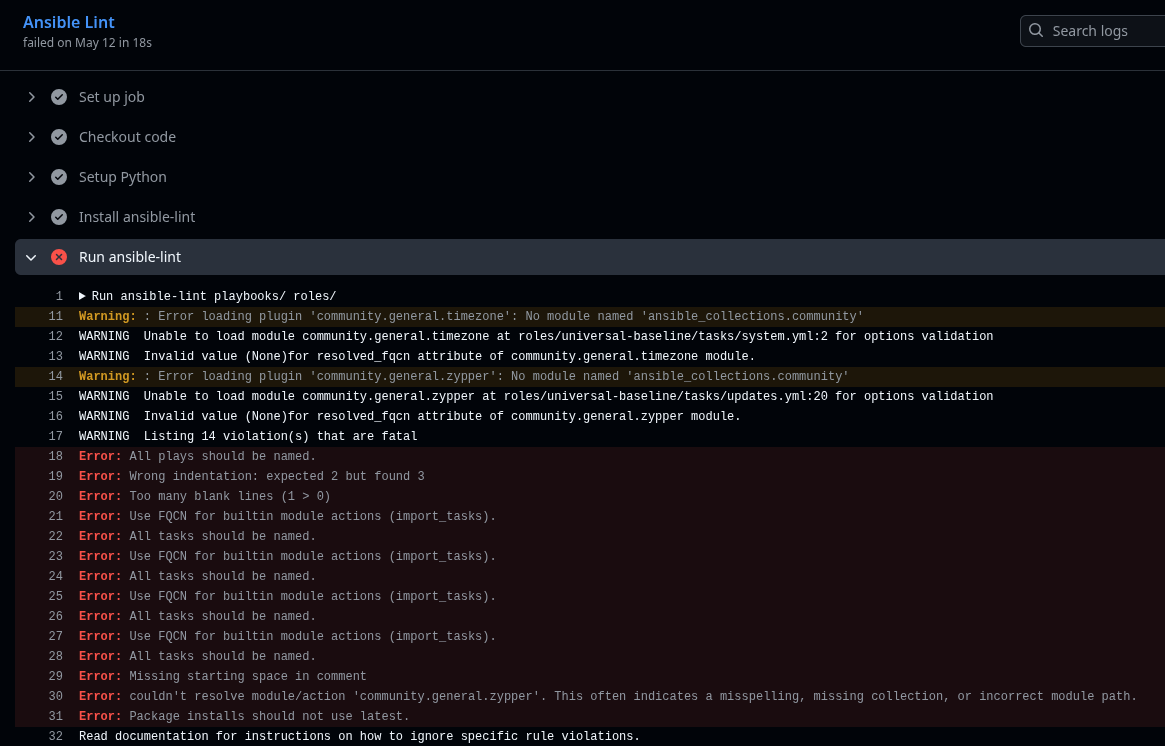
Two separate problems, and working through the output with Claude clarified what each was enforcing and why they warranted different responses.
The fqcn violations are tasks using short module names instead of fully-qualified collection names:
1
2
3
4
- name: Ensure baseline packages on Debian
  apt:
    name: ""
    state: present
Should be:
1
2
3
4
5
6

- name: Ensure baseline packages on Debian
  ansible.builtin.apt:
    name: "{{ baseline_packages }}"
    state: present
The fully-qualified name makes the module source unambiguous: if a custom collection also ships an apt module, the short name creates a resolution ambiguity the FQCN eliminates. More practically, it’s the convention ansible-lint enforces by default, and the fix across six violations was entirely mechanical.
package-latest warranted a different response. The update tasks use state: latest, which ansible-lint flags by default because it can cause uncontrolled version drift if a package updates to something that breaks the system. That concern is real in production, but in a lab that exists specifically to apply updates across distributions, keeping packages current is the intent, not an oversight. Claude walked through why noqa was the right call here rather than reworking the task logic: suppress the specific rule, leave everything else linted normally, and leave a comment documenting that the decision was deliberate.
1
2
3
4
5
6
7
8

- name: Update all packages on Debian/Ubuntu
  ansible.builtin.apt:
    upgrade: dist
    update_cache: true
  when: ansible_os_family == "Debian"
  # noqa: package-latest
Someone reading the file later shouldn’t have to wonder whether the rule was forgotten or ignored. After qualifying the module names and adding the noqa tags, the workflow passed cleanly.

What the Pipeline Does Not Do
Neither workflow validates that the playbooks would actually run successfully against real infrastructure. ansible-lint checks syntax, module usage, and style but does not execute tasks, and the Terraform workflow validates the configuration graph and checks formatting without running plan or apply. Nothing in the pipeline connects to a live instance.
That scope is deliberate: a pipeline that requires live AWS resources on every PR adds provisioning time, cost, and dependency on infrastructure state to what should be a fast feedback loop. The static analysis catches the category of errors it’s designed to catch, style violations, missing collections, formatting inconsistencies, configuration graph problems, and execution-time failures get caught by running the actual code against the actual lab, which is what the lab is for.
Where This Leaves It
Before these workflows existed, a PR with broken Terraform formatting or an unqualified module name would merge without complaint and I’d find out whenever I happened to run things locally. Now it fails a check within a couple of minutes, which is the whole point. The habit of making that feedback loop automatic is easier to build before you need it than after you already have a codebase that assumes you won’t.
The full configuration is at orionilloc/ansible-linux-sandbox: OIDC-authenticated CI, dynamic inventory, and roles for baseline configuration and OS hardening across six distributions. Ansible Vault, Molecule, and the compliance automation that OpenSCAP makes possible are all reasonable next directions, though they’re genuinely different problems from the one this series was solving.