Ansible Linux Sandbox - Part 1
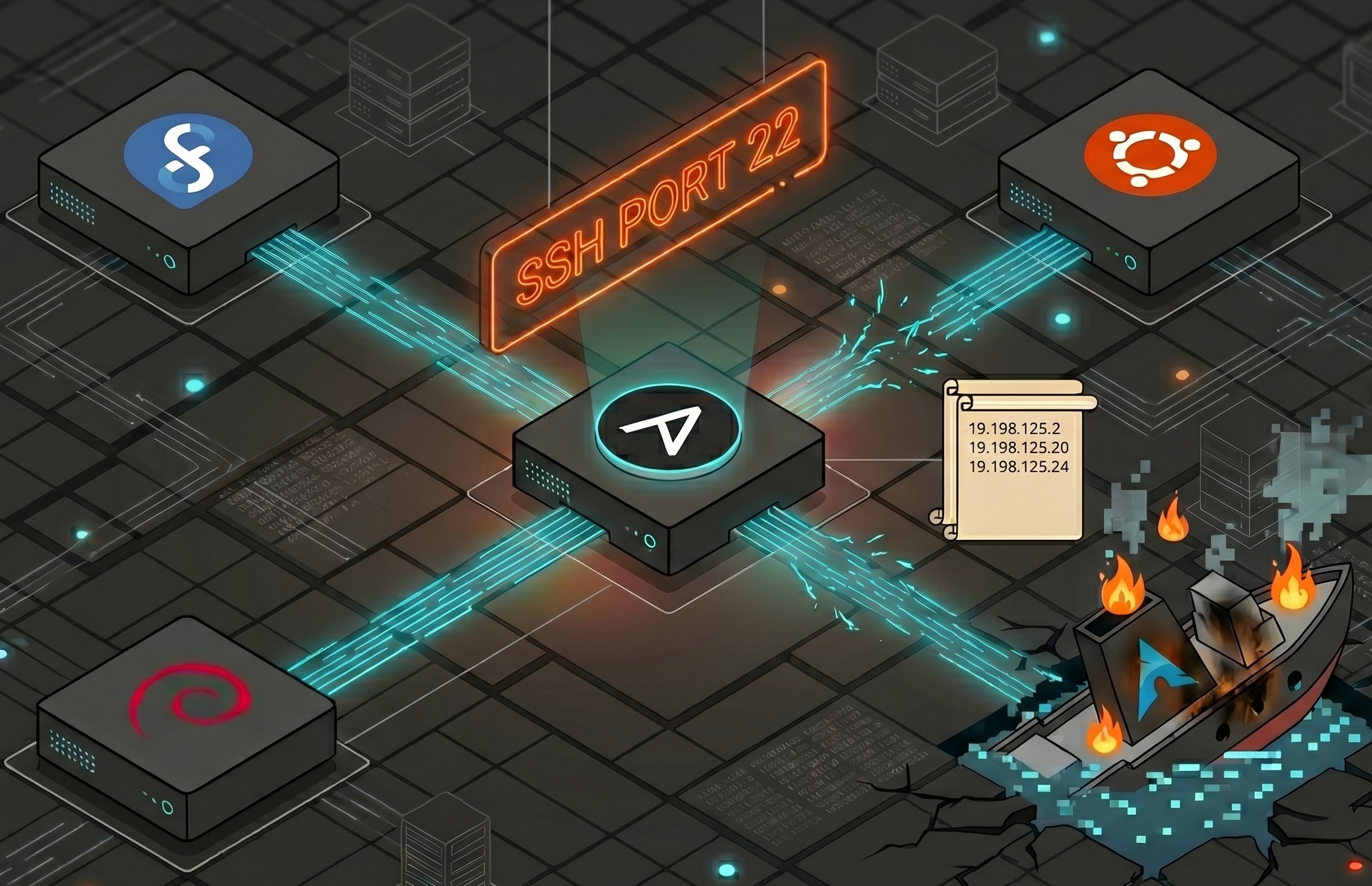
The Linux sysadmin role has been quietly absorbing DevOps tooling for the better part of a decade. If you have been doing this long enough, you have watched the job description shift underneath you. Or so the internet tells me. Shell scripts that used to be good enough started looking brittle next to configuration management tools. SSH key management at scale stopped being a reasonable answer. The expectation that you could just log into a box and fix something by hand started feeling like a liability rather than a skill. It seems like all of the older DevOps/Platform/Infrastructure Engineers working at clients I support are just Linux sysadmins flexing their latest RPG job class advancement after 10-20 years in the field.
That aside, I had been doing consistent shell scripting in the background alongside my regular work and found myself hitting the familiar ceiling: scripts that worked fine for one distro, broke on another, and had no real mechanism for ensuring idempotency across a fleet. I knew enough to recognize that Ansible was the right next thing to learn. What I was less sure about was how to actually learn it without production workloads to apply it to.
Starting with Jeff Geerling’s Material
The natural on-ramp was Jeff Geerling’s Ansible for DevOps and his COVID-era livestream series, which is an interesting artifact from that particular moment in time. A lot of people came to Ansible through exactly this material in 2020, and it holds up extremely well as an introduction or refresher. It’s a little grim hearing and seeing references from late March/early April especially, as I’m writing this blog post from the same New York apartment room I was living in then.
Anyways, I got through about half of it as a curious listener before fully internalizing a problem. The book and his video series use Vagrant to manage local VMs, which is a reasonable choice for keeping everything self-contained on your own machine. I have a 32GB RAM Debian workstation that would run it fine. But I was not particularly interested in simulating a local environment when what I actually wanted was exposure to cloud infrastructure patterns.
I held off on Vagrant and started building in AWS instead, using some familiar modules and tools.
The v1 Architecture
The goal at this stage was simple: get something working. Not elegant, not secure by design, just functional enough to actually run Ansible against real nodes and understand what the tooling was doing.
The Terraform configuration stood up four EC2 instances: AL2023 as the control node running in a public subnet with a public IP, and three managed nodes running AL2023, Debian 12, and Ubuntu 24.04 in a private subnet behind a NAT gateway. A fourth node running Arch Linux was included initially but eventually dropped for iteration. However, it still lives in this repo like a confused, vengeful ghost. Getting Arch to a usable state in this context required more upfront work than it was worth at this stage of the lab. I’ve mostly forgotten what the exact issues were as I hadn’t started documenting more concrete issues until later on.
The control node had port 22 open to 0.0.0.0/0. The managed nodes allowed SSH only from the control node’s security group. A TLS private key was generated by Terraform, written to disk as a .pem file, and baked into the control node via user_data.
1
2
3
4
5
6
7
8
resource "aws_security_group" "sg_control" {
  ingress {
    from_port   = 22
    to_port     = 22
    protocol    = "tcp"
    cidr_blocks = ["0.0.0.0/0"]
  }
}
This is the part that felt immediately wrong. Not wrong enough to block progress, but wrong in the way that a private key sitting on an EC2 instance always feels wrong. It works. It is also exactly the kind of thing that gets flagged in a security review, and for good reason. The key has to live somewhere, and nowhere on that instance is a good answer.
Beyond the security concern, the inventory was static. Every host was defined by its private IP address in inventory.ini. The moment Terraform recreated an instance, the IP changed and the inventory was stale. For a lab where terraform destroy and terraform apply were becoming regular operations, that is a real friction point. And I hadn’t quite evolved to tainting or replacing instances.
1
2
3
[linux:vars]
ansible_ssh_private_key_file=./ansible-lab-key.pem
ansible_ssh_extra_args='-o StrictHostKeyChecking=no'
The StrictHostKeyChecking=no line tells the story. You are turning off host key verification because the IPs change and you do not want to clear known_hosts every time. It is the kind of shortcut that makes sense in a tutorial context and makes less sense the longer you look at it.
Ad Hoc Commands
Before writing any playbook, the right first step with Ansible is ad hoc commands. This is where you verify that connectivity works, that your inventory is correct, and that the modules you expect to use actually behave the way you think they do.
1
2
3
ansible linux -m ping
ansible linux -m command -a "uname -a"
ansible debian -m apt -a "name=curl state=present" --become
The ping module is not ICMP. It is an Ansible-specific connectivity check that verifies SSH access, Python binary availability on the remote host, and that the inventory variables are wired up correctly. Getting a green pong back from some nodes was the first real signal that the infrastructure was working as intended. Well, I should mention again here that the Arch Linux node never truly ran properly, so it wasn’t always flashing green with an ansible all -m ping invocation.
Ad hoc commands are genuinely useful for quick one-off tasks and for sanity-checking a new environment. They are not where you want to live once you have more than a handful of nodes or more than a handful of tasks. The absence of structure becomes a problem fast and also isn’t how people use the platform.
Takeaways and Next Steps
The value of building v1 this way, rather than jumping straight to a more sophisticated architecture, was that every problem it had was visible and concrete. The private key on disk was not an abstract security concern, it was a file I could see sitting in the home directory. The static inventory was not a theoretical limitation, it was an actual broken ansible -m ping after a terraform apply.
Those were the right problems to have early. They make the case for the changes in Part 2 without requiring any hand-waving about best practices.
The v1 architecture also confirmed that the multi-distro approach was worth pursuing. Even at this basic level, the differences between Debian and AL2023 were already showing up in package names, default users, and SSH behavior. Managing that divergence cleanly is most of what the Ansible work in Parts 3 and 4 is about.
Part 2 covers the shift to SSM-based connectivity, remote state, and what it actually takes to go fully private with no public IPs and no SSH keys anywhere in the picture.