Ansible Linux Sandbox - Part 2
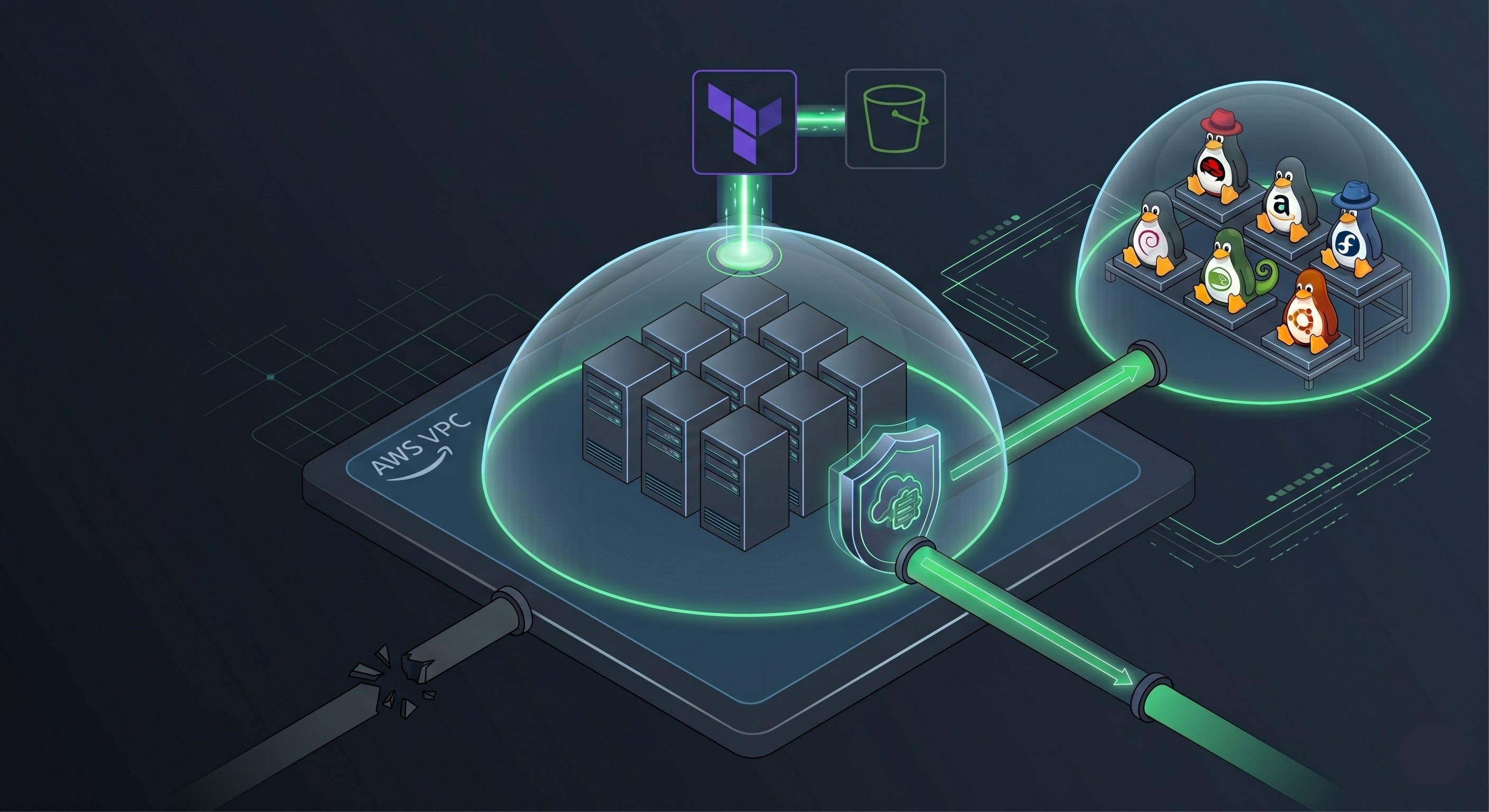
Part 1 left me with a working lab, but my control node had a public IP with SSH open to the world. Private keys were being written to disk at boot time and HEREDOC’d into user-data scripts. It worked, but it was held together with the kind of decisions you make when you just want to see green check marks and deal with the rest later.
If I was going to start building real playbooks on top of this infrastructure, I needed to fix the foundation first. The question was simple: does the control node actually need to be reachable from the internet? No.
Why SSM
SSM was already in my head from the SAA-C03 material, but the cert content mostly covers what it is and when to use it, not how to actually operate through it. I knew you could get a shell into an EC2 instance without SSH, which was enough to make me go look up whether Ansible could use it as a transport. It can, through the amazon.aws collection’s aws_ssm connection plugin. Reading through the plugin documentation is where I learned the specifics: no inbound ports required, the instance registers itself with SSM over outbound HTTPS, and module transfer works over S3 using presigned URLs generated by the controller. The remote instance never needs direct IAM credentials for S3, which is a cleaner separation than I expected.
Terraform State First
Before touching any EC2 infrastructure, I needed to deal with state management. The v1 setup used local Terraform state, which is fine until it isn’t: lose the file, change machines, have a second person touch the repo, and you’re having a bad day. The fix is remote state in S3 with locking. That’s something I didn’t need Claude to tell me.
This requires bootstrapping: the S3 bucket has to exist before the main configuration can reference it. So v2 has a small bootstrap/ directory with its own root module that provisions these resources independently and gets run once.
1
2
3
4
5
6
7
8
9
10
11
12
13
14
15
16
17
18
19
# bootstrap/main.tf

provider "aws" {
  region = "us-east-1"
}

resource "aws_s3_bucket" "terraform_state" {
  bucket = "ansible-linux-sandbox-terraform-state"
  lifecycle {
    prevent_destroy = true
  }
}

resource "aws_s3_bucket_versioning" "enabled" {
  bucket = aws_s3_bucket.terraform_state.id
  versioning_configuration {
    status = "Enabled"
  }
}
I originally set this up with a DynamoDB table for state locking, which looks to be have been the standard approach for quite some time. Terraform deprecated that parameter during this work. I’m not sure when that was formally deprecated, but all of a sudden I’d start seeing this whenever I’d fire off a terraform init or terraform apply.
1
2
3
4
5
╷
│ Warning: Deprecated Parameter
│
│ The parameter "dynamodb_table" is deprecated. Use parameter "use_lockfile" instead.
╵
1
2
3
4
5
6
7
8
9
10
11
# main.tf

terraform {
  backend "s3" {
    bucket       = "ansible-linux-sandbox-terraform-state"
    key          = "ansible-sandbox/terraform.tfstate"
    region       = "us-east-1"
    use_lockfile = true
    encrypt      = true
  }
}
Closing the Perimeter
The v1 security groups had SSH open inbound on the control node and SSH permitted from the control node’s security group to the managed nodes. Both rules go away entirely in v2.
The control node security group has no inbound rules. The managed nodes allow all traffic from the control node’s security group to support the S3-based module transport, and nothing from outside.
1
2
3
4
5
6
7
8
9
10
11
12
13
14
15
16
17
18
19
20
21
22
23
24
25
26
27
28
29
30
31
32
33
34
35
36
37
38
# security.tf

resource "aws_security_group" "sg_control" {
  vpc_id      = aws_vpc.lab_vpc.id
  name        = "${var.project_name}-control-sg"
  description = "Allow for SSM-managed Control Node"

  egress {
    from_port   = 0
    to_port     = 0
    protocol    = "-1"
    cidr_blocks = ["0.0.0.0/0"]
  }

  tags = { Name = "${var.project_name}-ControlSG" }
}

resource "aws_security_group" "sg_managed" {
  vpc_id      = aws_vpc.lab_vpc.id
  name        = "${var.project_name}-managed-sg"
  description = "Allow internal traffic from Control Node"

  ingress {
    from_port       = 0
    to_port         = 0
    protocol        = "-1"
    security_groups = [aws_security_group.sg_control.id]
  }

  egress {
    from_port   = 0
    to_port     = 0
    protocol    = "-1"
    cidr_blocks = ["0.0.0.0/0"]
  }

  tags = { Name = "${var.project_name}-ManagedSG" }
}
The control node also loses its public IP and moves into the private subnet alongside everything else. All outbound traffic routes through the NAT gateway.
What SSM Needs To Function
The baseline IAM policy is AmazonSSMManagedInstanceCore, which covers everything the SSM Agent needs to register with the service and accept sessions. The Ansible SSM connection plugin adds a wrinkle: because modules transit through S3, the controller’s IAM role needs explicit S3 permissions. The documentation is specific about which actions are required. While exploring the viability of this architecture with Claude, I also added a Deny on writes to the state prefix of the bucket from the instance role, since the control node has no business touching Terraform state at runtime.
1
2
3
4
5
6
7
8
9
10
11
12
13
14
15
16
17
18
19
20
21
22
23
24
25
26
27
28
29
resource "aws_iam_role_policy" "s3_access" {
  name = "s3-access-for-ansible"
  role = aws_iam_role.lab_role.id

  policy = jsonencode({
    Version = "2012-10-17"
    Statement = [
      {
        Effect = "Allow"
        Action = [
          "s3:GetObject",
          "s3:PutObject",
          "s3:DeleteObject",
          "s3:ListBucket",
          "s3:GetBucketLocation"
        ]
        Resource = [
          data.aws_s3_bucket.state_bucket.arn,
          "${data.aws_s3_bucket.state_bucket.arn}/*"
        ]
      },
      {
        Effect   = "Deny"
        Action   = ["s3:DeleteObject", "s3:PutObject"]
        Resource = ["${data.aws_s3_bucket.state_bucket.arn}/ansible-sandbox/*"]
      }
    ]
  })
}
Expanding the Node Fleet
v1 had four nodes: AL2023, Debian, Ubuntu, and Arch. Arch never really worked. The init system differences, SSM Agent setup friction, and general boot-time race conditions made it more trouble than it was worth.
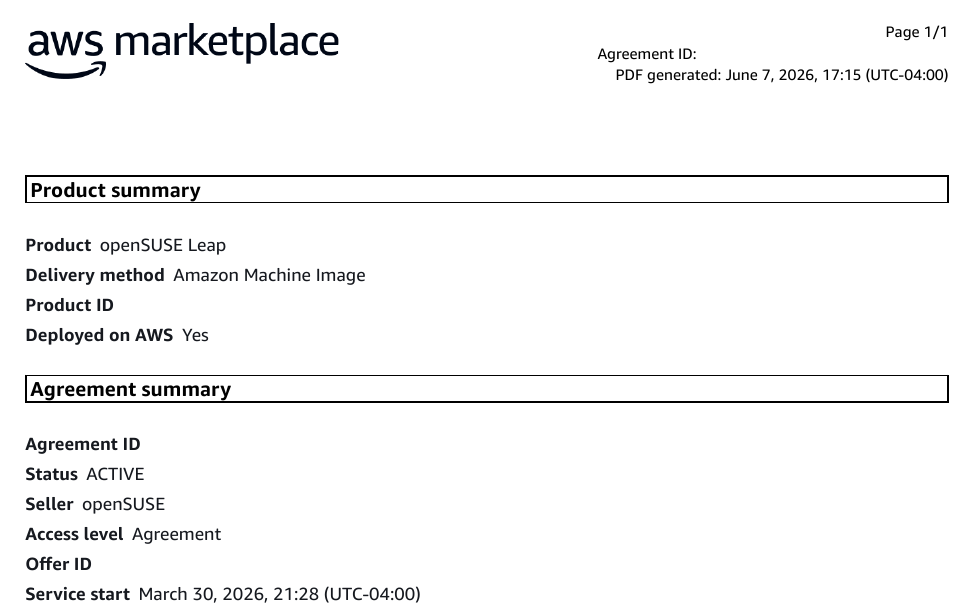
In its place came RHEL, Fedora, and openSUSE, which rounds out a more realistic cross-section of enterprise Linux. I thought that I needed RHEL and Fedora are subscription-based AMIs available through the AWS Marketplace, which means accepting license terms through the console before Terraform can provision them. It turns out I only needed to sign an agreement for OpenSUSE Leap.
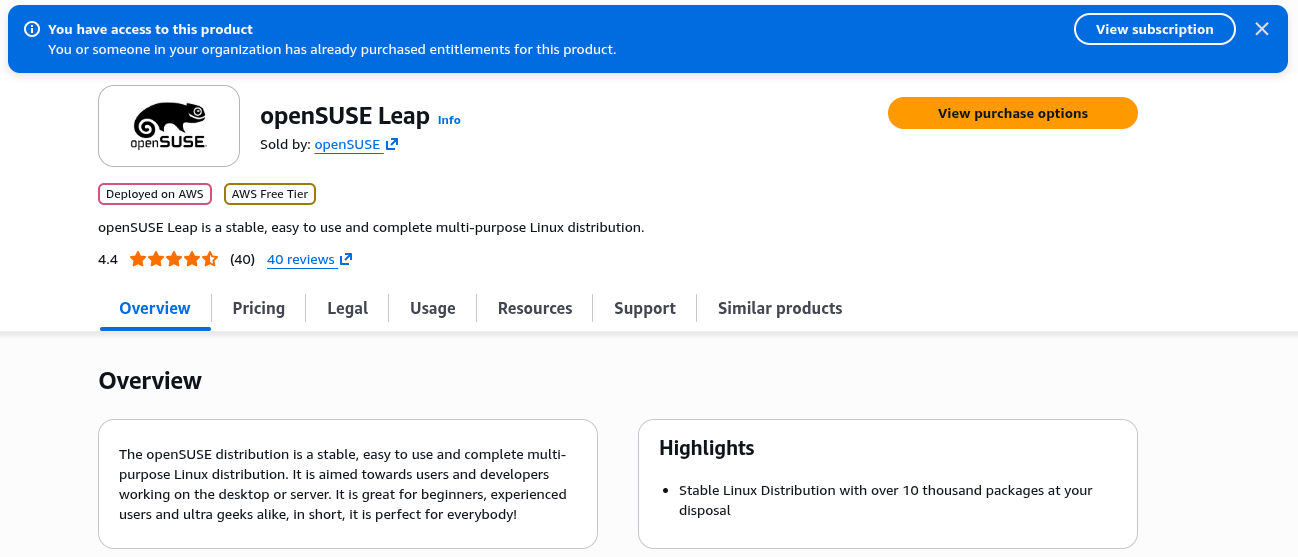
It takes a few minutes to activate after you click through, so running terraform apply immediately will produce a permissions error that clears on retry if you haven’t accepted the subscription terms and signed your name in bytes.
The User-Data Problem, Distro by Distro
SSM Agent comes pre-installed on AL2023 and recent Ubuntu AMIs. Every other distribution required explicit installation in user-data.
Debian’s package repos don’t include the SSM Agent. You pull the .deb directly from S3, install with dpkg, then enable and start the service. Skipping systemctl enable means the instance registers once and disappears from the SSM console after a reboot.
1
2
3
4
5
6
7
8
apt-get update
apt-get install -y python3
mkdir /tmp/ssm
curl https://s3.amazonaws.com/ec2-downloads-windows/SSMAgent/latest/debian_amd64/amazon-ssm-agent.deb \
  -o /tmp/ssm/amazon-ssm-agent.deb
dpkg -i /tmp/ssm/amazon-ssm-agent.deb
systemctl enable amazon-ssm-agent
systemctl start amazon-ssm-agent
RHEL and Fedora get the RPM treatment instead:
1
2
3
4
# RHEL
yum install -y python3
yum install -y https://s3.amazonaws.com/ec2-downloads-windows/SSMAgent/latest/linux_amd64/amazon-ssm-agent.rpm
systemctl enable --now amazon-ssm-agent
openSUSE was the most irritating. The zypper package manager runs its own initialization process on boot and will reject install commands if you hit it too early. The error is not descriptive. The fix is a retry loop.
1
2
3
4
5
6
7
8
until zypper refresh; do
  echo "zypper not ready for additional package installs. Retrying..."
  sleep 5
done

zypper install -y python3
rpm -i https://s3.amazonaws.com/ec2-downloads-windows/SSMAgent/latest/linux_amd64/amazon-ssm-agent.rpm
systemctl enable --now amazon-ssm-agent
The until loop is more honest than a sleep 30 you’ll see in the average cloud tutorial. It makes progress when the condition becomes true rather than timing out on a guess.
Bracketed Paste and Terminal Noise
One problem that showed up on only some nodes: after connecting via SSM and pasting a block of text, the terminal would output ^[[200~ before the content and ^[[201~ after it, scrambling whatever was sent. This is bracketed paste mode, I learned, a terminal feature designed to protect interactive shells from treating pasted content as typed input. The SSM session terminal does not handle it cleanly on all distributions.
The fix lives in /etc/inputrc, the system-wide configuration file for GNU Readline. Disabling bracketed paste there turns it off for every user on the system:
1
2
echo "set enable-bracketed-paste off" >> /etc/inputrc
echo "set enable-bracketed-paste off" >> /etc/skel/.inputrc
Writing to /etc/skel/.inputrc as well ensures any users created after boot inherit the same setting. This went into the user-data for AL2023, Fedora, and RHEL nodes, which were the ones where it surfaced.
Logging: set -euo pipefail
The v1 scripts had no consistent error handling. When something failed at boot, cloud-init would report a non-zero exit code and that was roughly all you got. After spending time staring at instances that came up half-configured with no clear indication of where things went wrong, I asked Claude for help and got pointed toward a pattern I’ve kept ever since:
1
2
set -euo pipefail
exec > >(tee /var/log/user-data.log) 2>&1
set -e exits immediately on any non-zero return code. set -u treats undefined variables as errors rather than silently expanding them to empty strings. set -o pipefail extends that behavior through pipelines. The exec line redirects all subsequent stdout and stderr into both the terminal and /var/log/user-data.log, giving you line-level output to read when an instance comes up broken rather than a status code.
Strictly necessary on the managed nodes? Probably not, considering AWS has /var/log/cloud-init-output.log. But a consistent template across all instances is easier to maintain, I figured. The user-data scripts ended up being quite different anyway and so pipefail remained. Oh well.
The Control Node Bootstrap
The install sequence: update the OS, install Python, pip, and the AWS CLI, then install Ansible and boto3 via pip. Then curl the SSM Session Manager plugin and install it, required for the aws_ssm connection plugin to work on the controller side. The last piece was getting the playbooks and roles onto the instance without manually cloning the repo every time a new control node spins up. Sparse checkout turned out to be the right tool: pull only specific directories from a repository rather than the whole thing.
1
2
3
4
5
git clone --no-checkout https://github.com/orionilloc/ansible-linux-sandbox.git /home/ec2-user/ansible
cd /home/ec2-user/ansible
git sparse-checkout init
git sparse-checkout set playbooks/ roles/
git checkout main
inventory.ini and ansible.cfg are still generated by Terraform as HEREDOCs and written to the instance at boot. That is fine for now. v3 is where the static inventory goes away.
One thing that caused a subtle problem: user-data.sh runs as root, so the sparse checkout clones the repo as root. The ec2-user running Ansible later cannot write to those files. The fix is a chown at the end of the bootstrap:
1
chown -R ec2-user:ec2-user /home/ec2-user/ansible
The symptom is Ansible refusing to create its temp directory under the roles path.
Ansible Configuration for SSM
The [linux:vars] section of the inventory changed significantly from v1. SSH-based Ansible has sensible defaults for most of its connection behavior. SSM does not, and the plugin documentation is specific about what needs to be declared explicitly. Most of what ended up in this block came from reading the docs and then hitting the parameters they underspecified:
1
2
3
4
5
6
7
8
9
[linux:vars]
ansible_connection=aws_ssm
ansible_aws_ssm_region=us-east-1
ansible_aws_ssm_bucket_name=ansible-linux-sandbox-terraform-state
ansible_aws_ssm_plugin_prefix=ansible-transport/
ansible_remote_tmp=/tmp/.ansible/tmp
ansible_shell_type=sh
ansible_ssm_python_cmd="python3"
ansible_python_interpreter=/usr/bin/python3
ansible_remote_tmp is one the docs mention but don’t emphasize: without it, Ansible tries to create its temp directory somewhere that isn’t writable under the SSM session context, and the error I encountered didn’t make that obvious. ansible_shell_type=sh is there because SSM sessions default to whatever shell the user profile specifies, and leaving that implicit caused inconsistencies across distributions. ansible_python_interpreter came from a different problem: the SSM transport doesn’t go through Ansible’s normal Python discovery the way SSH does, so some distributions were resolving to a different interpreter path and failing quietly.
The ansible.cfg also gets a remote_tmp line for the same reason, and a roles_path declaration pointing at the sparse-checkout location. Ansible’s default role search path assumes the roles directory is relative to the playbook, which broke as soon as the directory structure diverged slightly.
1
2
3
4
5
[defaults]
inventory = ./inventory.ini
host_key_checking = False
pipelining = True
remote_tmp = /tmp/.ansible-${USER}/tmp
What Actually Broke First
The first run after switching to SSM transport was not clean:
1
2
3
4
5
6
fatal: [node-rhel]: FAILED! => {
  "msg": "Unexpected failure during module execution: An error occurred
  (TargetNotConnected) when calling the StartSession operation:
  i-04d17146aa6dce51b is not connected.",
  "stdout": ""
}
TargetNotConnected means the SSM Agent on that instance has not registered with the service yet. This happened on RHEL and Fedora because the user-data script had not finished installing the agent by the time I ran the first ansible command. The instance was up; the agent was not. The fix is patience: wait for the agent to appear in the SSM console before running anything.
Debian produced a different failure when running package install tasks:
1
2
3
4
5
failed: [node-debian] (item=git) => {
  "changed": false,
  "item": "git",
  "msg": "No package matching 'git' is available"
}
The instance was clearly reachable, and I could install git using ad hoc commands. The package manager cache was probably stale, then. The Debian AMI ships without a recently refreshed package index. Running apt-get update before any package install tasks, or using update_cache: true in the task, resolves it. Worth noting: --check mode does not actually execute the cache update, so a dry run will report failures that a real run would not.
Where This Leaves Us
Six managed nodes across six distributions, all private, all SSM-registered, reachable from the control node without a single open inbound port. Terraform state lives in S3. The control node bootstraps itself from Git.
The inventory is still static. Instance IDs are still hardcoded. The Ansible configuration is still generated by Terraform at boot. Those are the things Part 3 fixes: dynamic inventory via the aws_ec2 plugin, with AWS tags driving group membership and eliminating the need to touch an inventory file every time an instance gets replaced.